WhatsApp Number Checker: check a whole list at once
A free, open-source desktop app for Windows, macOS and Linux. Open a CSV or Excel file of phone numbers and find out which are on WhatsApp, with name, about, profile picture and business profile. Export the answers to Excel, CSV or JSON.
Download
Version 2, free and open source under the MIT licence. All files and checksums, user guide, source code.
What it does
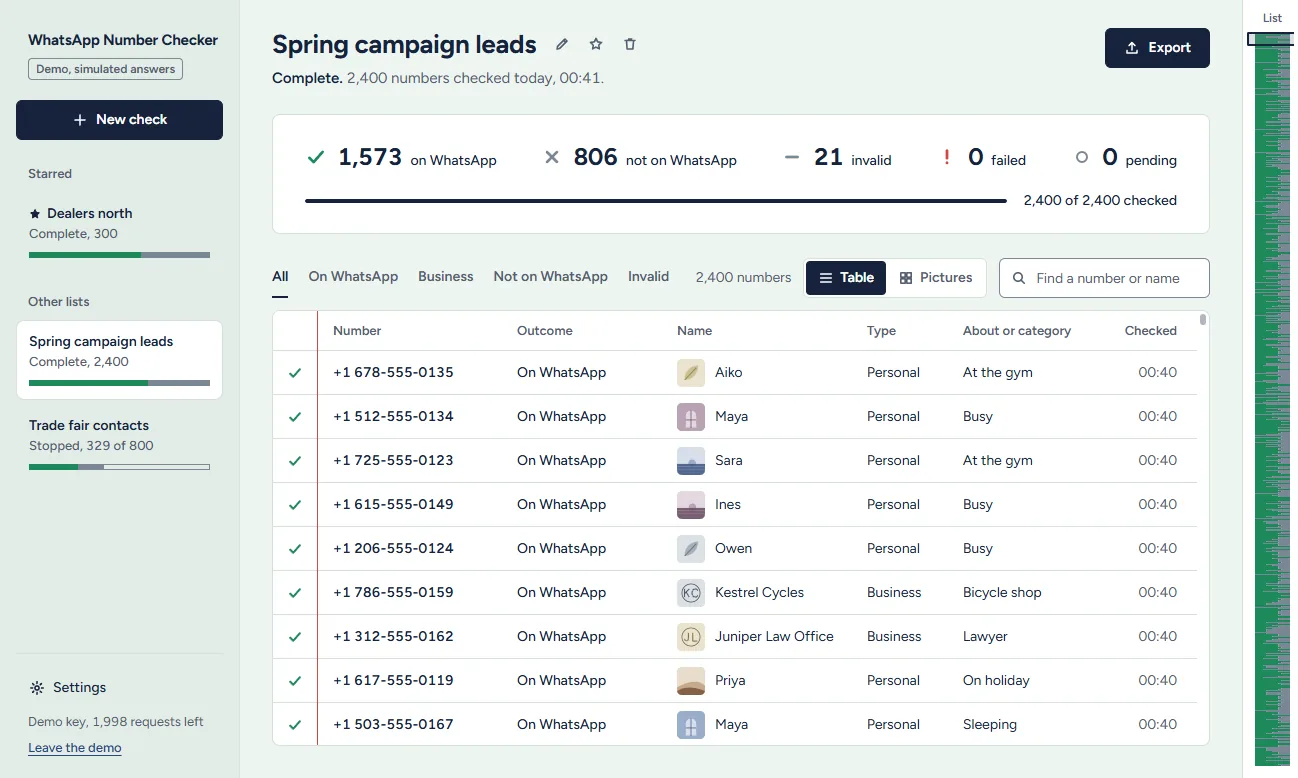
- Reads your list as it is. CSV, Excel or text, or numbers you paste. When a file has several columns, the phone column is found for you. Duplicates are removed and anything that is not a phone number is set aside, with the reason, before a single request is spent.
- One answer per number. On WhatsApp, not on WhatsApp, not in the database, invalid, or failed. "The request failed" is never mixed up with "not on WhatsApp".
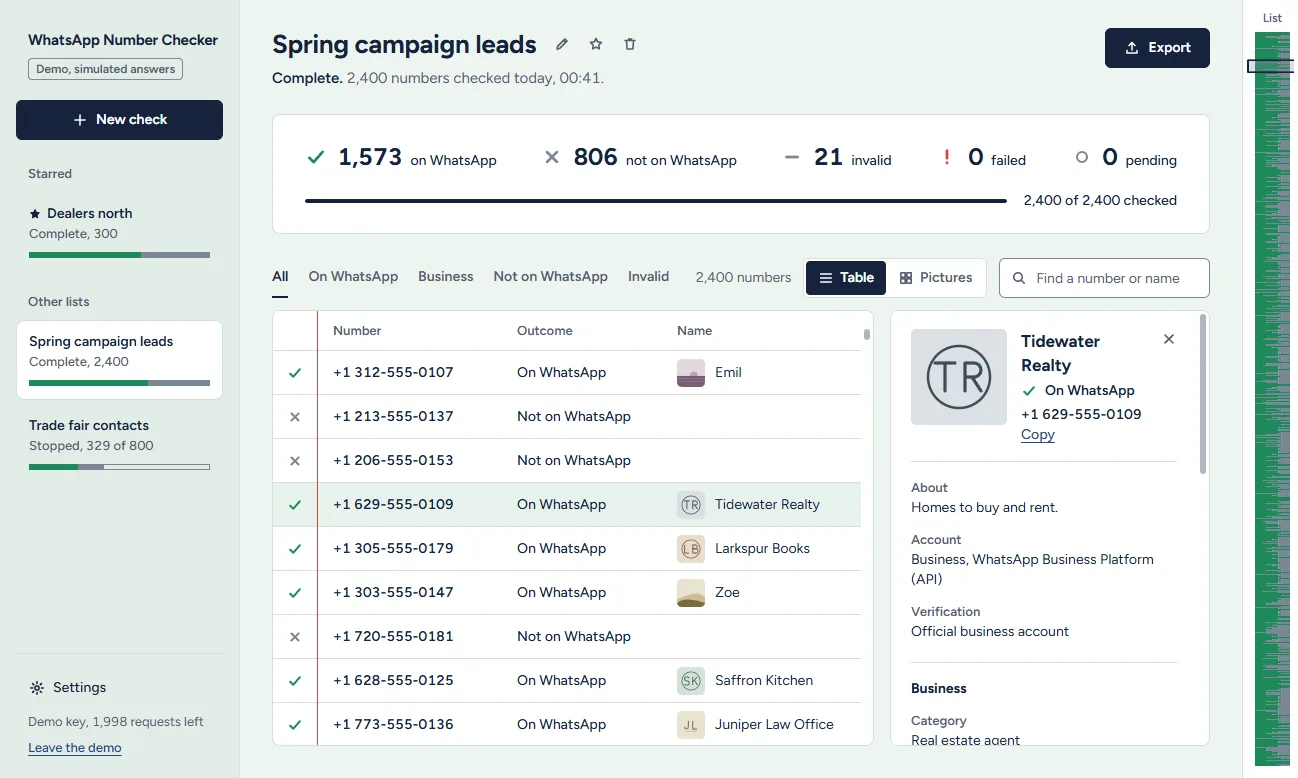
- The whole profile. Name, about, profile picture, personal or business account, and for a business: category, description, email, websites, address with a map link, opening hours, verification and linked accounts.
- Stop and continue whenever you like. Every answer is saved the moment it arrives. Continue asks only the numbers without an answer.
- Exports that open cleanly. Excel, CSV or JSON, every number or one outcome, every field in its own column.
Profiles and pictures
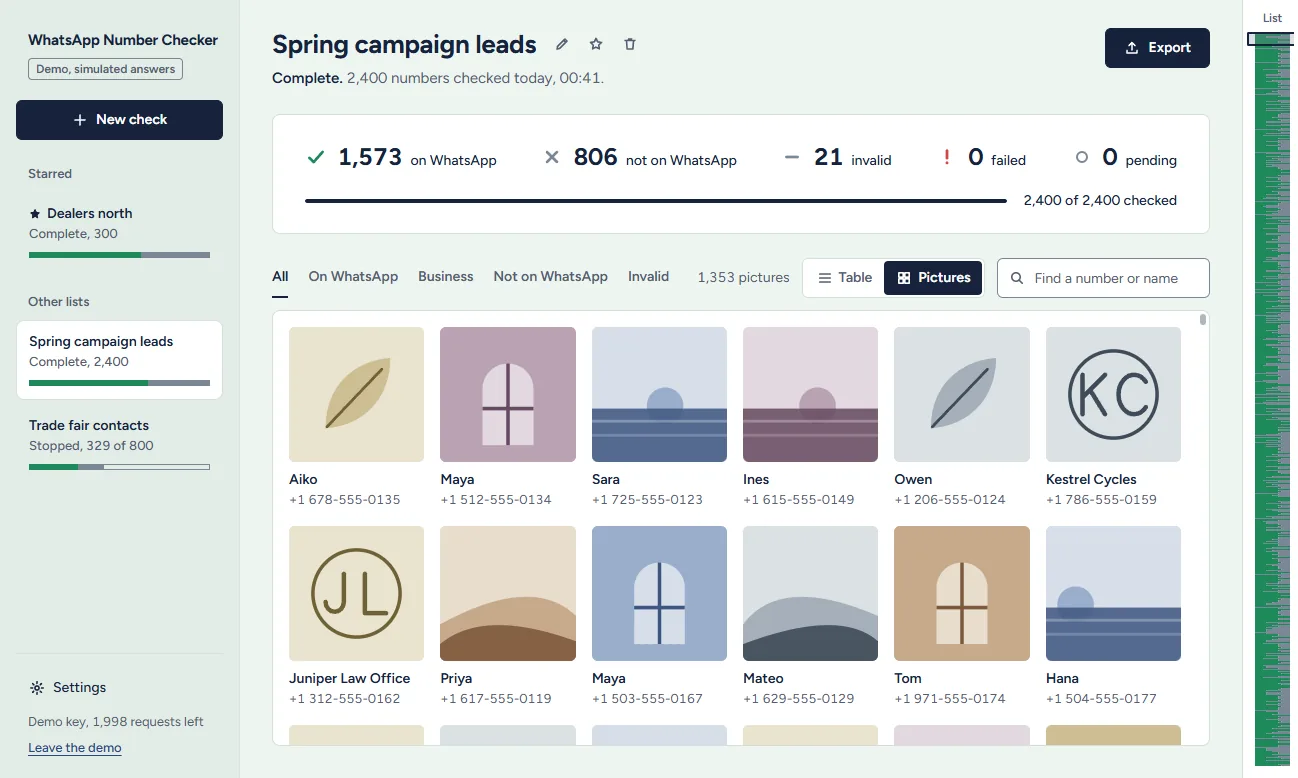
Click a number to see everything known about it. Profile pictures sit next to every name, open at full size in a viewer that steps through the list with the arrow keys, and fill a picture wall of the whole list at once.
The key it needs
The app asks the WhatsApp Data API about each number, one request per number. Any of these keys works:
| Key | Each answer carries |
|---|---|
| Direct key | A live check with the full profile and picture. The app also shows the key's remaining requests. |
| RapidAPI: Number Validator | A live check: on WhatsApp or not, without profile data. |
| RapidAPI: DB Only | Profiles from the database, without a live check. |
To look around first, open Help → Try the Demo in the app: sample numbers, simulated answers, no key.
Private by design
Your key is stored encrypted by the operating system and sent only to the API. Your lists and results stay on your computer. The app has no account and sends no usage data, and its source code is public on GitHub.
Installing it
The builds are not code-signed yet, so each system asks once. On Windows, at "Windows protected your PC", choose More info → Run anyway. On macOS 15 and later, open the app once, then System Settings → Privacy & Security → Open Anyway. On Linux, install the .deb with sudo apt install ./whatsapp-number-checker-linux-x64.deb, or run the AppImage. The user guide walks through every step.
Use it responsibly
Check numbers you have a reason to hold, and message only people who agreed to it: WhatsApp's own rules and data-protection laws such as the GDPR require it. Anyone can hide their number from the database on the opt-out page. WhatsApp Number Checker is an independent project, not affiliated with WhatsApp or Meta.
More from the same API
To check numbers in the browser instead, use the bulk checker. To download every stored profile picture of a country, there is a second open-source app, Country Profile Pictures. To build your own, start with the API documentation.